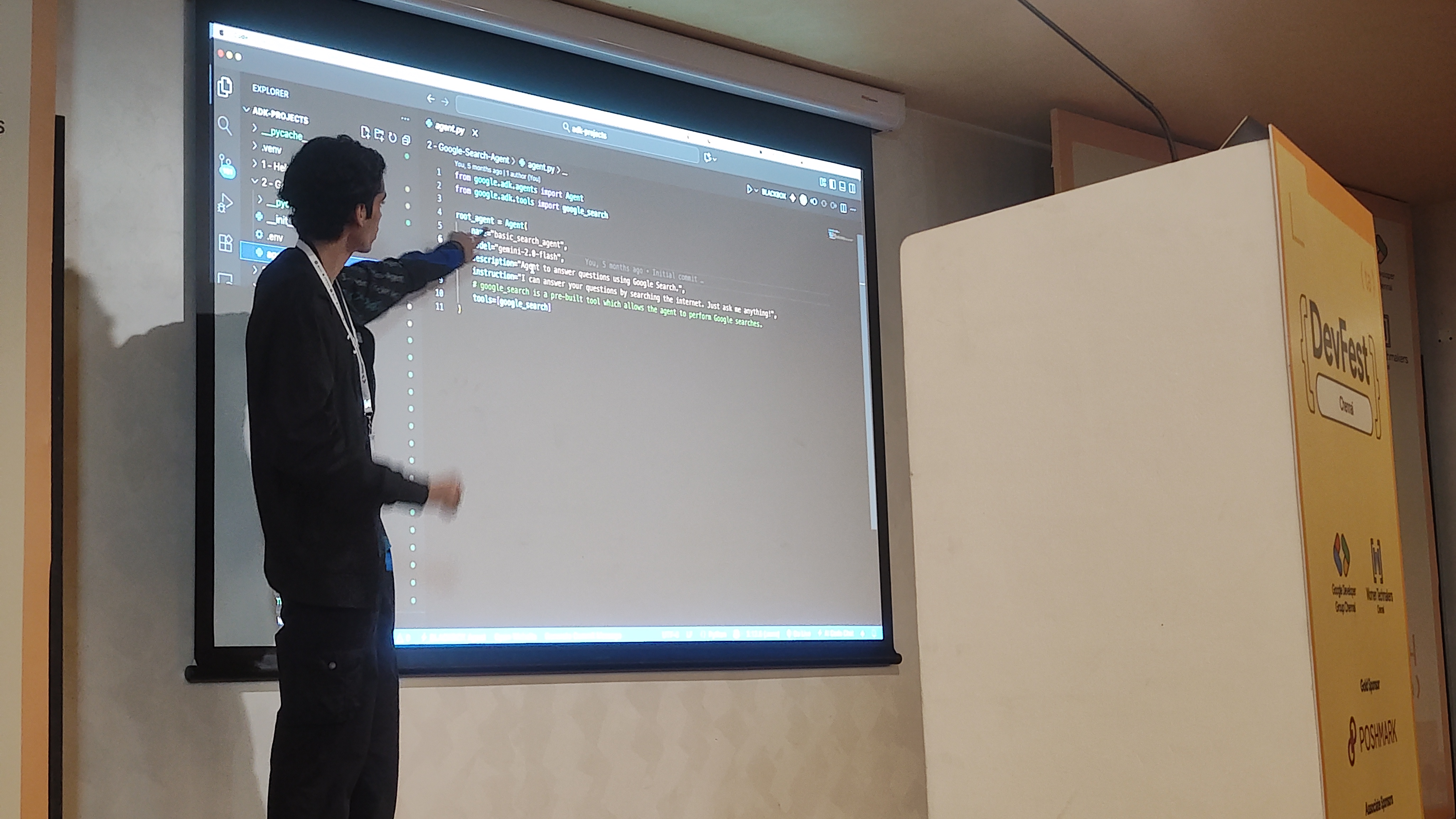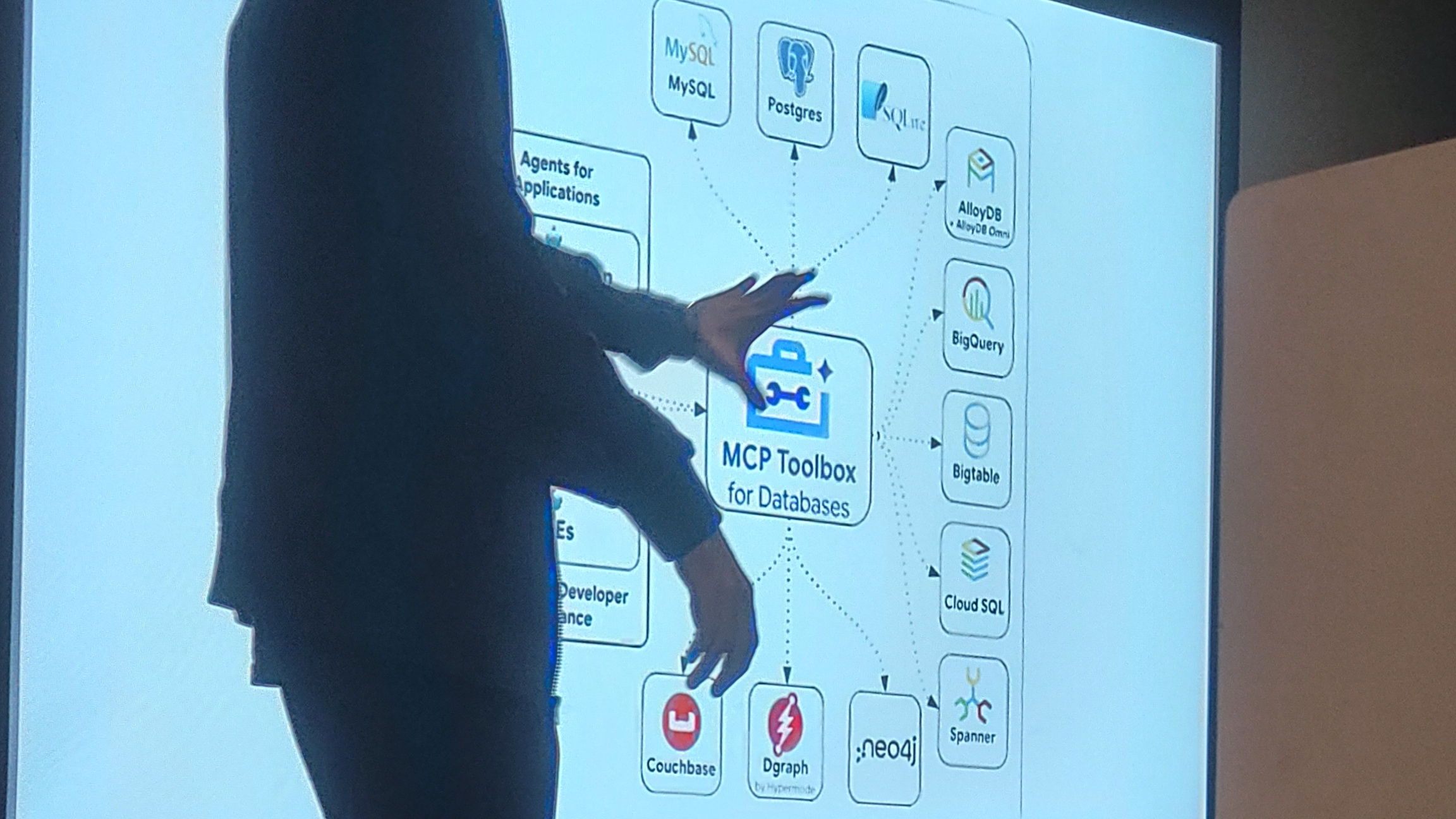
The session kicked off with Aryan Irani, a Google Developer Expert specializing in Google Workspace, taking us through the MCP (Model Context Protocol) Toolbox for Databases within Google’s Agent Development Kit (ADK).
The Evolution of AI: Why We Need ADK
Aryan began by contextualizing where we are in the AI evolution journey:
Rule-Based AI → Machine Learning → Generative AI → Agentic AI
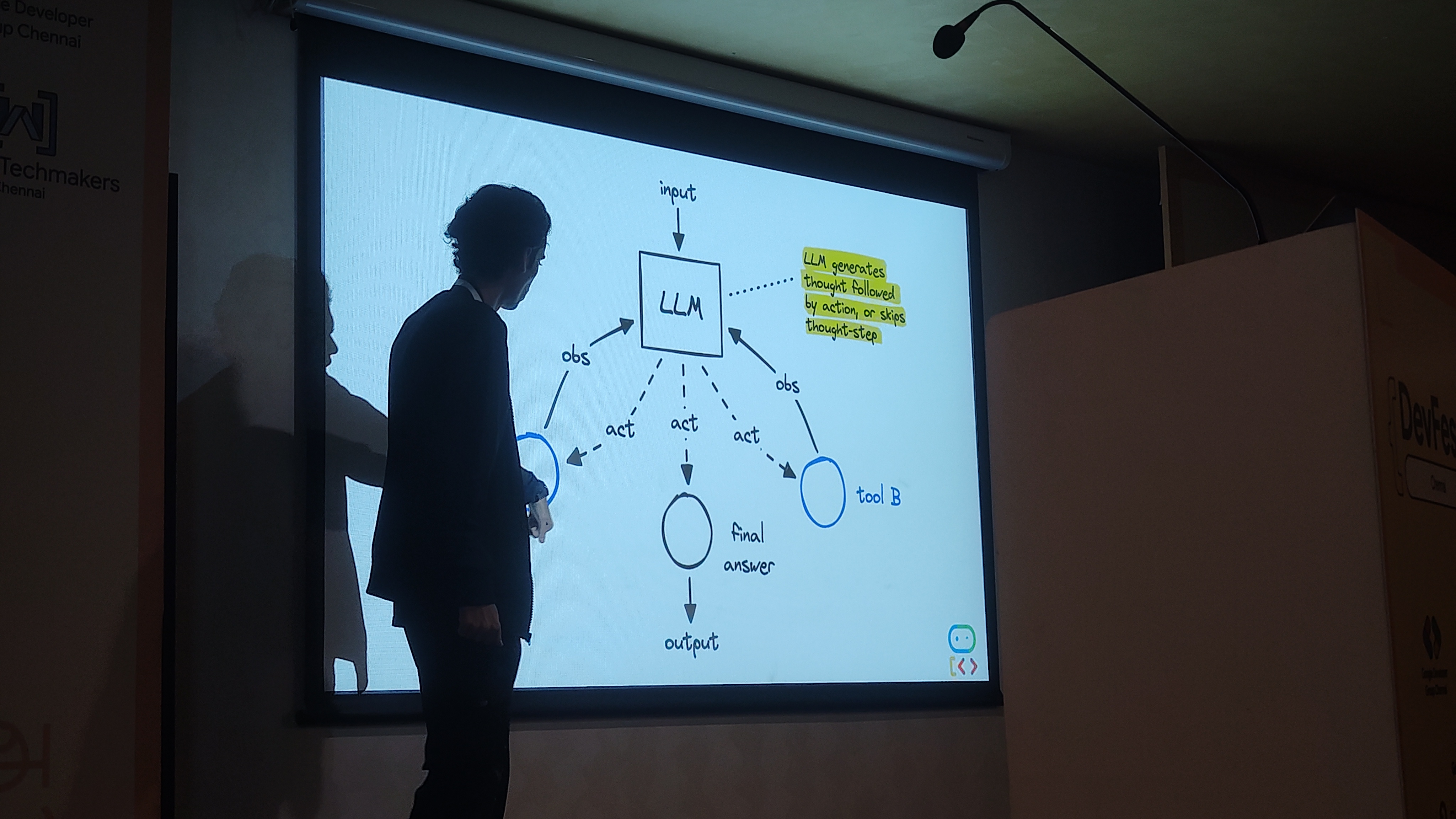
Each phase has brought us closer to AI systems that can truly understand and act on our behalf. But what makes modern “Agentic AI” so powerful? it’s the ability to create smart assistants that don’t just answer questions, they use tools to solve problems.
The key components of an effective AI agent include:
- Brain: The Large Language Model (LLM) that provides reasoning capabilities
- Hands: Tools that allow the agent to interact with systems and take action
- Memory: The ability to remember and learn from interactions
- Planning: Strategic thinking to accomplish complex goals
Google’s Agent Development Kit (ADK): A Developer’s Perspective
Aryan highlighted what makes ADK particularly compelling for developers:
- Open Source: Full transparency and community contribution
- Framework Compatible: Works alongside popular frameworks like LangChain
- Model Agnostic: Not locked into a specific language model
- Python-Based: Leverages Python’s extensive ecosystem
Understanding ADK Agents
At its core, ADK provides a structured approach to building agents. Aryan explained the agent architecture:
Base Agents consist of:
- Name: Clear identification for the agent
- Model: The underlying language model
- Instructions: Guidelines for behavior and responses
- Tools: Available actions the agent can perform
- Sub Agents: The ability to delegate to specialized agents
The framework offers both out-of-the-box solutions for common use cases and the flexibility to build custom agents tailored to specific needs.
The Agent Ecosystem
Aryan positioned ADK within the broader agent development landscape, mentioning other popular frameworks like:
- LangChain: One of the earliest and most widely adopted
- AutoGen: Microsoft’s multi-agent conversation framework
- CrewAI: Focused on role-playing AI agents
What sets ADK apart is its focus on Atomic Agents—specialized, single-purpose agents that excel at specific tasks, combined with robust tooling for orchestrating these agents into more complex workflows.
Development and Debugging with ADK
One of the most impressive features Aryan demonstrated was ADK’s awareness and debugging capabilities. The framework provides:
- Tracing: Complete visibility into agent decision-making
- Events: Real-time monitoring of agent interactions
- State Artifacts: Persistent state management
- Sessions: Maintaining conversation context across interactions
The Foundation Challenge: Knowledge Gaps
Aryan identified a fundamental problem with many AI systems: the gap between what models know and what’s actually true in your specific context. Even the most advanced LLMs face limitations:
- Knowledge Cutoff: Information is only current up to a certain date
- Private Data: No access to your organization’s proprietary information
- Generic Results: Responses lack domain-specific context
The solution? Grounding—connecting AI agents to databases to ensure their responses are based on accurate, up-to-date information.
MCP Toolbox for Databases: Bridging the Gap
This is where the MCP (Model Context Protocol) Toolbox for Databases comes, Instead of writing complex SQL queries, users can ask questions in plain English, and the system automatically generates and executes appropriate database queries while maintaining security protocols.
Practical Implementation: A Five-Step Blueprint
Aryan walked us through a practical implementation roadmap:
Step 1: Prepare Your Data
The foundation of any good AI system is clean, well-structured data. This involves organizing your database schema, ensuring data quality, and establishing proper access controls.
Step 2: Define tools.yml
Configuration is key. The tools.yml file defines what database operations your agent can perform, setting boundaries and permissions to ensure safe and appropriate usage.
Step 3: Write Your Agent
Using ADK’s Python SDK, you define your agent’s behavior, capabilities, and how it should interact with the database tools.
Step 4: Start Toolbox Server
The MCP Toolbox server acts as the intermediary between your agent and the database, handling protocol translation and security enforcement.
Step 5: Launch Agent Interface
Finally, deploy the interface that allows users to interact with your database-powered AI agent.
Real-World Application: Retail Operations Co-pilot
To make this concrete, Aryan shared a practical example: a Retail Operations Co-pilot that helps business managers get insights without needing to write SQL queries or navigate complex dashboards.
Typical use cases include:
- Product Performance Analysis: “Which products are performing best this quarter?”
- Daily Sales Overview: “What were our total sales yesterday compared to last week?”
- Inventory Insights: “Which stores need restocking of popular items?”
In this implementation, data was stored in BigQuery, Google’s enterprise data warehouse, demonstrating how the MCP Toolbox can integrate with modern cloud data platforms to provide instant, conversational access to business intelligence.
This approach democratizes data access within organizations, allowing business users to get the insights they need while maintaining the security and governance that IT teams require.