This session was a refreshing departure from technical deep dives, focusing instead on a critical aspect that’s often overlooked: how do we design user experiences that make AI accessible, trustworthy, and genuinely useful?
Sanju is also a Google for Startups mentor!
The AI UX Challenge: Beyond Technical Excellence
Sanju opened by highlighting a fundamental gap in the AI ecosystem: we’ve become incredibly sophisticated at building powerful AI models, but we’re still figuring out how to make them usable and accessible to everyday users. His work at thisux and dun focuses specifically on this intersection of AI capability and human-centered design.
The problem, as he explained, is that traditional UX design principles don’t always translate well to AI-powered applications. AI systems introduce new complexities, uncertainty, variability, and a lack of transparency that challenge conventional design approaches.
Core Design Principles for AI Applications
Sanju presented a set of design principles that he and his team have developed through extensive user testing and iteration:
1. Make It Obvious
AI-powered features should be clearly visible and discoverable. Users shouldn’t have to hunt for AI capabilities or wonder whether a feature is enhanced by artificial intelligence.
The presence of AI should be signaled through clear visual cues and intuitive labeling. Git Diff is a great example of this principle in action.
2. Make It Editable
One of the biggest fears users have about AI is losing control. Sanju emphasized that every AI-generated output should be easily editable and modifiable. Users should feel empowered to accept, modify, or reject AI suggestions without friction.
3. Make It Undeniable
The value proposition of AI features should be immediately apparent. Users should be able to clearly see how AI is helping them and why the AI-enhanced version is better than what they could create manually.
4. Show Cost & Confidence
Transparency is crucial for building trust. Sanju stressed that applications should clearly show:
- Cost: Whether in monetary terms, computational resources, or time
- Confidence: How certain the AI system is about its suggestions or outputs
Proven Patterns for AI-Powered Interfaces
Through his work on dun and other projects, Sanju has identified several effective patterns that consistently deliver good user experiences:
Pattern 1: Smart Paste
This pattern goes beyond simple copy-paste by intelligently formatting and organizing pasted content.
Pattern 2: Auto Structure
Rather than waiting for users to manually organize information, we could automatically create outlines, format documents, or organize data into tables based on the content type.
Pattern 3: Cost-Aware UX
This pattern addresses the very real concern about AI usage costs. The interface clearly indicates when AI features are being used, what they cost, and provides controls for managing usage. Users get transparent feedback about resource consumption.
Pattern 4: Memory with Consent
AI systems often need to remember user preferences and past interactions to provide personalized experiences. This pattern ensures that memory storage is always opt-in, with clear explanations of what’s being stored and why, plus easy ways to review or delete stored information.
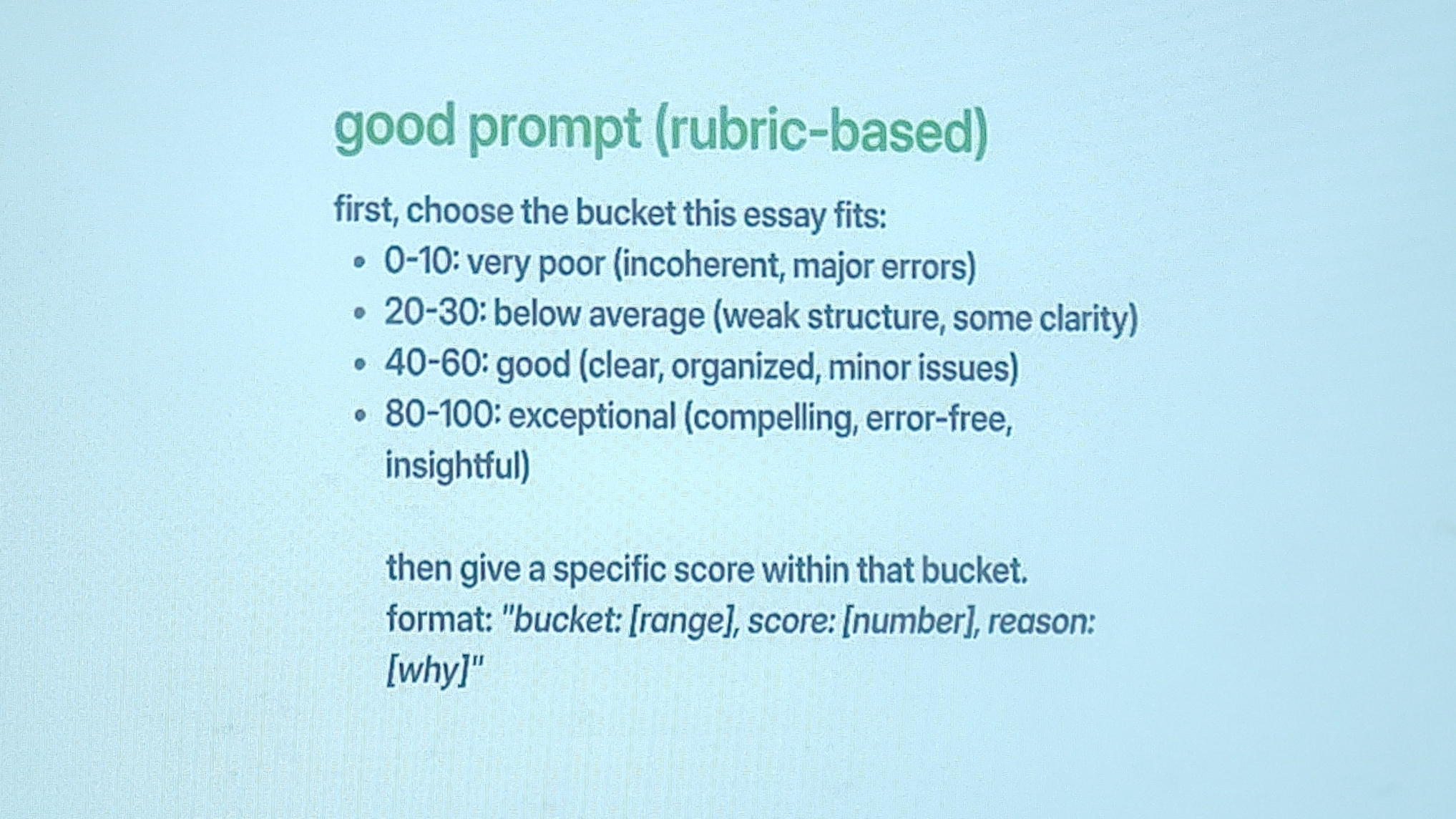
Pattern 5: Score with Rubrics
For applications that need to evaluate or assess content, this pattern provides transparent scoring based on clear rubrics. Rather than mysterious AI judgments, users see exactly how content is being evaluated and why it received particular scores.
Bucket First Scoring: A specific implementation where content is first categorized into buckets (like “Good,” “Needs Work,” “Excellent”) before providing detailed scoring, making the assessment more intuitive and actionable.
Anti-Patterns: What to Avoid
Just as importantly, Sanju shared common pitfalls that designers should avoid:
1. Explicit Preference Adding
Don’t force users to manually configure AI settings or preferences in overwhelming detail. Instead, learn from user behavior and make intelligent defaults that can be easily adjusted.
2. Toggle for Each Task
Resist the temptation to add AI toggles to every single feature or input field. This creates interface clutter and decision fatigue. Instead, make AI assistance the default when it adds value.
3. Not Showing Attribution
Users need to know when content is AI-generated. Failing to provide clear attribution can lead to confusion and mistrust.
Tools suggestions
- handy.computer
- Microsoft Prompt Language